


Description
Download Office Agenda – medical scheduling, office management, appointment booking, resource scheduling, calendar app
Overview
Office Agenda is a specialized productivity tool designed for service-oriented environments such as medical offices, clinics, beauty salons, and therapy centers. Its primary purpose is to simplify the organization of complex schedules involving multiple resources, including personnel, patients, and equipment. By offering a centralized digital calendar system, the app helps reduce scheduling conflicts, improve appointment visibility, and enhance coordination among team members. It addresses common operational challenges in small to mid-sized professional settings where manual or fragmented scheduling methods lead to inefficiencies.
The application is tailored for users who require a reliable and intuitive way to manage appointments across various roles and assets. Whether it's a doctor’s availability, a patient’s visit, or the status of a treatment room, Office Agenda provides a structured approach to tracking and updating schedules in real time. Its network-sharing functionality enables seamless collaboration within a local team, ensuring that changes such as cancellations or rescheduling are instantly visible to all authorized users.
Although the developer did not provide additional background details, the app has been in use since its release on June 6, 2012, indicating a long-standing presence in the productivity space. This longevity suggests a stable core functionality that continues to meet the needs of niche professional sectors. For organizations relying on consistent scheduling workflows, Office Agenda serves as a practical utility that supports daily operations and contributes to smoother service delivery.
Key Features & Functionality
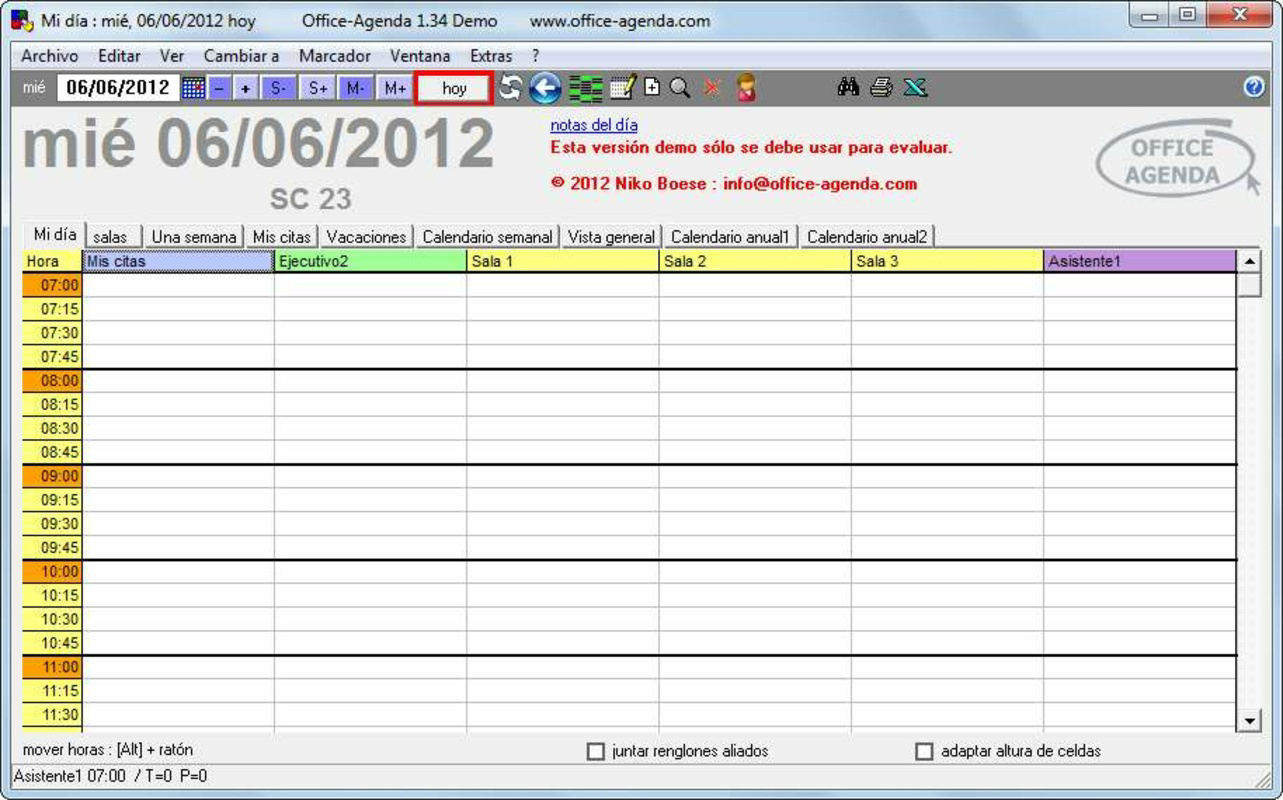
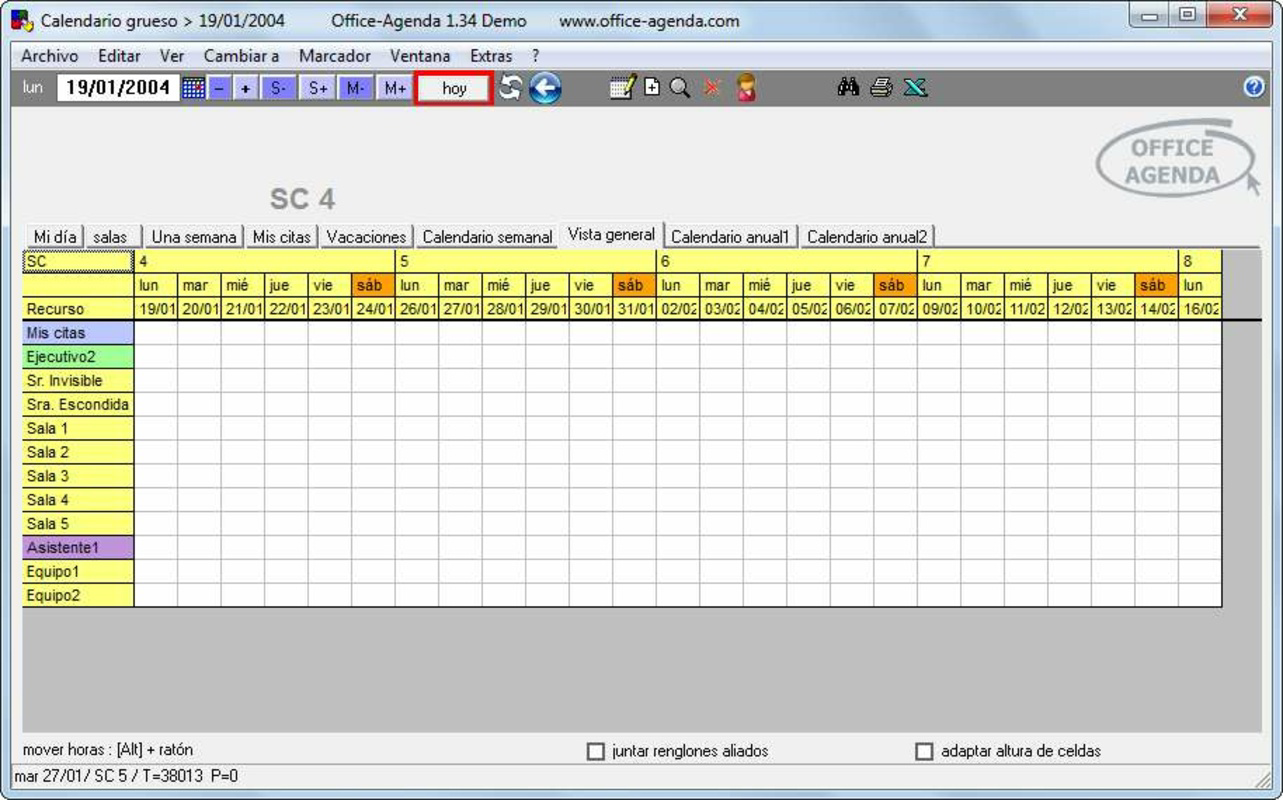
- Effortless Scheduling: The app enables users to create, edit, and manage appointments for multiple resources such as doctors, patients, and equipment. The intuitive calendar interface allows quick access to daily, weekly, or monthly views, making it easy to spot conflicts and adjust timelines.
- Network Information Sharing: Team members on the same local network can view and update shared schedules in real time. This feature ensures that all staff remain informed about appointment changes, cancellations, or new bookings without relying on verbal communication or paper records.
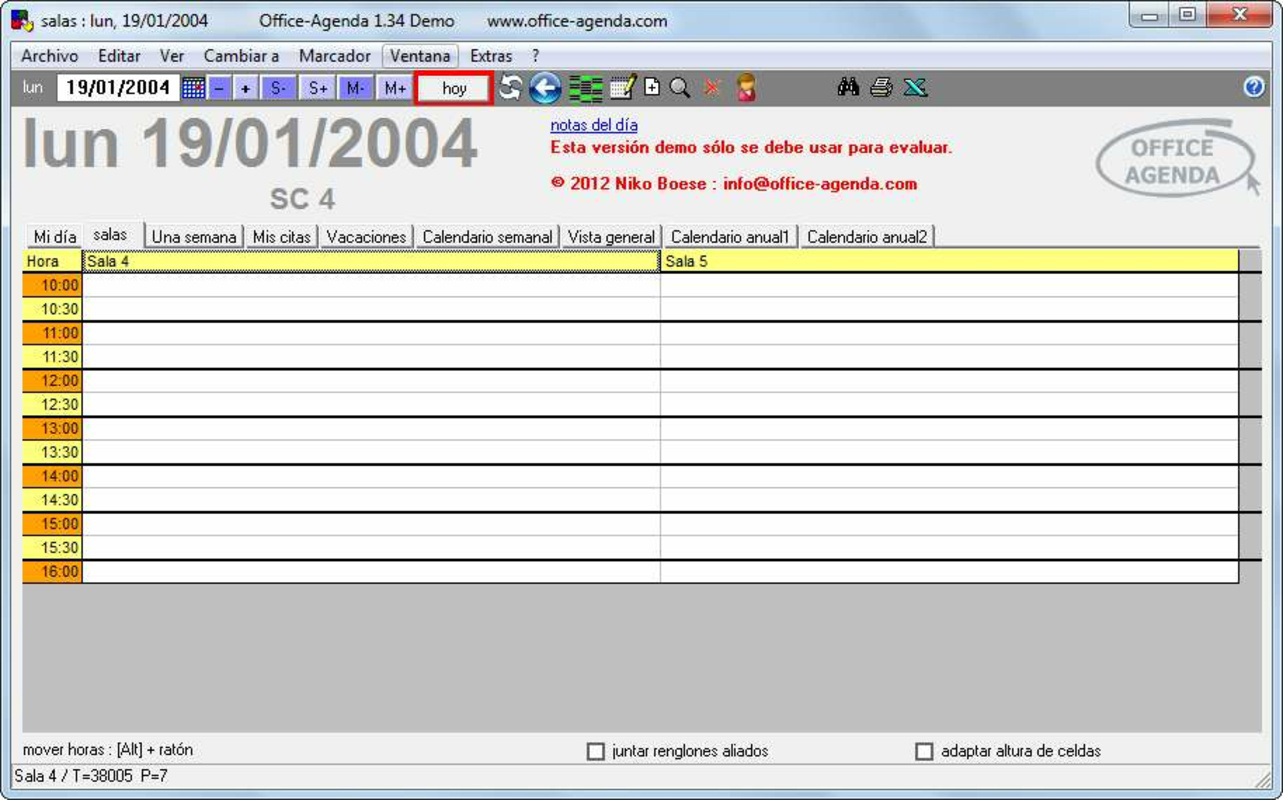
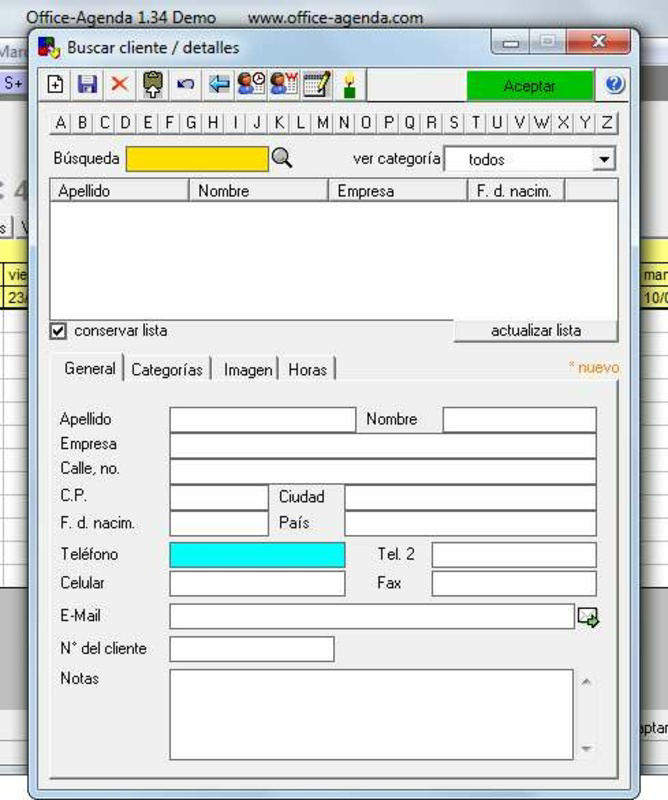
- User-Friendly Interface: With a clean layout and clearly labeled tabs, users can navigate between different sections—such as staff schedules, patient appointments, and equipment availability—without confusion. The design minimizes the learning curve, allowing new users to become proficient quickly.
- Versatile Application: While developed with medical environments in mind, the app’s flexible structure supports use in beauty salons, hairdressers, and wellness centers. Its adaptability makes it a valuable tool for any business that relies on time-based resource allocation.
For example, a medical clinic can use the app to assign doctors to specific time slots, reserve treatment rooms, and track patient visits—all within a single interface. Similarly, a beauty salon can manage appointments for multiple stylists, track service durations, and avoid double-booking clients. These real-world applications highlight how Office Agenda streamlines workflows and reduces administrative overhead in dynamic service environments.
Interface, UX & Performance
Office Agenda features a straightforward user interface with a focus on clarity and functionality. The layout is organized around a central calendar, with navigation tabs that allow users to switch between different resource types and views. Visual cues such as color-coded entries help distinguish between appointment types, enhancing readability and reducing the risk of misinterpretation.
Navigation is intuitive, with minimal steps required to add or modify appointments. The app supports touch-based interactions, making it suitable for use on smartphones and tablets. Although the developer did not list formal performance metrics, the app’s lightweight design—15.3 MB in size—suggests efficient resource usage, which is beneficial for older or lower-end devices.
Responsiveness appears to be consistent across various device categories, though specific testing data was not provided. Stability is implied by the app’s long-term availability, but users should be aware that performance may vary depending on network conditions, especially when sharing data across devices. Overall, the user experience is optimized for simplicity, enabling professionals to focus on their core tasks without being hindered by technical complexity.
Platform Compatibility & Technical Requirements
Office Agenda is available on the Android platform. The current version is 2.0.0, with a file size of 15.3 MB. The app is free to download and install, making it accessible to a broad range of users in small businesses and independent practices.
The developer did not specify minimum OS requirements or compatibility details beyond the platform. As such, users should ensure their device meets the general standards for running Android applications. While no specific hardware specifications were listed, the app’s compact size indicates it is designed to operate efficiently on a wide range of Android devices, including older models.
Pros and Cons
Pros
- Free to download and use, reducing entry barriers for small businesses.
- Designed specifically for medical and service-oriented industries with targeted functionality.
- Supports real-time collaboration through local network sharing.
- Intuitive interface with minimal learning curve for new users.
- Lightweight file size enhances performance on older or low-spec devices.
Cons
- Specific OS version requirements were not disclosed.
- No cloud backup or remote access features were mentioned.
- Network dependency limits functionality outside local environments.
- Limited information about updates or future development plans.
- Only available on Android, with no indication of iOS support.
FAQ
Is Office Agenda available for iOS devices?
The developer did not provide information on iOS compatibility. The app is currently available only on Android.
Can I use Office Agenda without an internet connection?
Yes, the app functions locally on a device. However, network-sharing features require a local Wi-Fi connection to synchronize data between devices.
Is Office Agenda secure for storing patient information?
The app does not specify data encryption or compliance with healthcare privacy standards. Users should exercise caution when handling sensitive information.
How often is Office Agenda updated?
Update frequency was not disclosed by the developer. The current version is 2.0.0, released on June 6, 2012.
Can multiple users access the same schedule simultaneously?
Yes, users on the same local network can view and update shared schedules in real time, promoting team coordination.
Final Thoughts + CTA
Office Agenda stands out as a focused, no-frills solution for managing appointments and resources in professional service environments. Its practical design, network-sharing capabilities, and long-standing presence make it a dependable choice for medical offices, salons, and therapy centers. While it lacks modern features like cloud sync or cross-platform availability, its core functionality remains relevant and effective for teams operating within a local network.
For small businesses seeking a free, easy-to-use scheduling tool that supports collaboration without complexity, Office Agenda delivers tangible value. Its lightweight nature ensures compatibility with a wide range of devices, and its intuitive interface reduces training time for new staff.
Despite the absence of detailed technical information, the app continues to serve its niche with consistency. If you're managing a service-based business that relies on coordinated scheduling, this tool could significantly improve your workflow efficiency.
Download Office Agenda now
Guides & Tutorials for Office Agenda
How to install Office Agenda
- Click the Preview / Download button above.
- Once redirected, accept the terms and click Install.
- Wait for the Office Agenda download to finish on your device.
How to use Office Agenda
This software is primarily used for its core features described above. Open the app after installation to explore its capabilities.
User Reviews for Office Agenda 0
No reviews found


